xPal Launches Desktop Application for Secure Remote Collaboration on Windows, macOS, and Browser
Encrypted messaging, secure calls, and privacy-first collaboration across Windows, macOS, browser, and mobile.

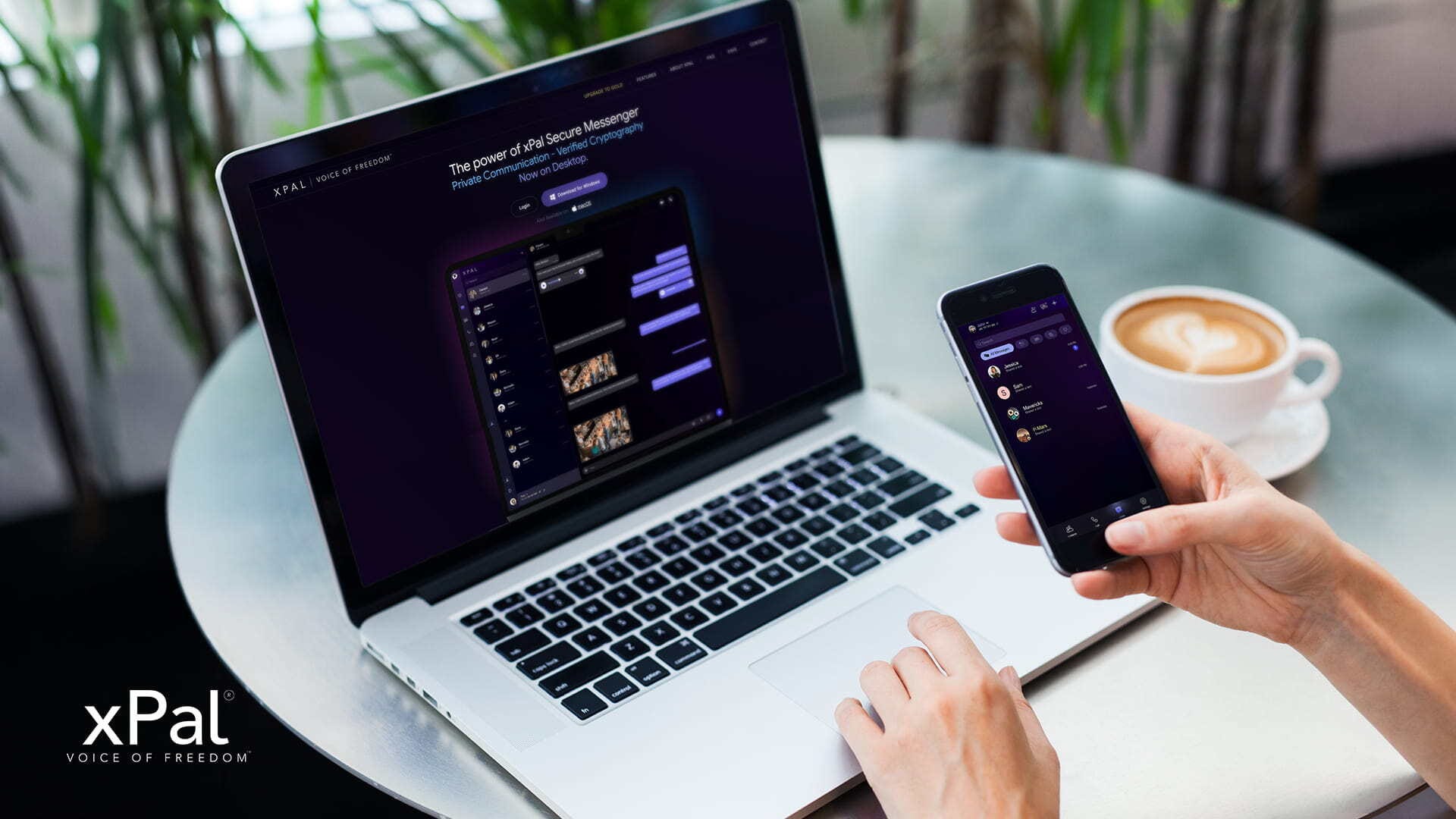
xPal today launched desktop applications for Windows, macOS, and web browsers, extending its secure remote collaboration platform beyond mobile devices. xPal’s cryptographic implementation has been submitted to the NIST Cryptographic Algorithm Validation Program (CAVP/ACVP) for validation. It includes industry-approved algorithms such as AES, SHA-2, HMAC-SHA-2, and ECC-based key agreement, implemented consistently across Windows, macOS, iOS, and Android.
This validation supports the cryptographic foundation of xPal’s FIPS 140-3 security module, helping ensure that its encryption is implemented correctly according to NIST standards. The new cross-platform messaging app allows distributed teams to collaborate without exposing personal data, contact information, or communication history to any server.
Why Are Standard Remote Collaboration Tools a Privacy Risk?
Most encrypted messaging apps and remote collaboration platforms encrypt message content but leave metadata exposed. Before you send a single message, these systems typically capture:
Phone numbers tied to your real identity
Your contact graph and team structure
IP addresses and device identifiers
Metadata showing who you communicate with, when, and from where
Timestamps on every message
End-to-end encryption protects what you send. It does nothing to protect what the platform knows about you, collects about you, or must reveal when legally compelled.
How Does Secure Remote Collaboration Work on xPal?
Registration requires only a username and a 4- or 6-digit PIN, no phone number, no email, and no legal name. The platform assigns a 9-digit xID, a communication identifier completely disconnected from real-world identity and usable globally without country or area codes.
Message encryption uses AES-256 with HMAC-SHA256 authentication, combined with Double Ratchet and X3DH key exchange protocols. Encryption keys are generated per session and stored only on devices. xPal retains no keys. A server breach would expose nothing readable.
Secure file sharing passes all files through the Photo & Video Sanitizer™ before encryption. This strips GPS data, timestamps, device fingerprints, and all embedded metadata from images and video before transmission. Encrypted file transfer means files arrive with zero forensic trail.
Audio and video calls use WebRTC with SRTP and DTLS-SRTP encryption. Calls route peer-to-peer when connection quality allows, through relay servers only when needed for stability. Relay servers see encrypted packets. They cannot read the call content.
Cross-platform collaboration works through direct QR code pairing. When a desktop user generates a session ID, a mobile device scans it. The devices pair directly, no cloud intermediary, no server managing the connection, no account in the traditional sense. Conversations sync in real time across Windows, macOS, iOS, Android, and browsers without leaving copies on any server.
What Data Does xPal Not Store?
xPal deletes message content permanently. Delivered messages are removed from servers on confirmation. Undelivered messages stay encrypted for a maximum of 36 hours, then are overwritten with a process called Replace And Destruct™ that makes server recovery effectively impossible.
The only data retained: screen name, xID, registration date, last login timestamp, operating system, and country of use.
No IP addresses. No contact lists. No communication history. No sync backups. No communication metadata.
Why Does Secure Collaboration Matter for Remote Teams?
Teams that discuss sensitive information, strategic decisions, financial data, product roadmaps, client details, and research findings need tools that protect not just message content but the fact that communication happened at all.
A secure remote collaboration platform built for data privacy communication means:
No record of who your team members are or where they are located
No metadata trail showing communication patterns or frequency
No server logs that can be compelled by legal process
No third-party analytics tracking team activity
No cloud backups are creating permanent records.
For organizations handling sensitive work, this architectural difference is the distinction between genuine privacy and privacy claims that end at the server room door.
How Is xPal’s Security Independently Verified?
xPal’s architecture has been independently validated:
NIST CAVP Certification confirms that cryptographic implementations for AES, SHA-2, HMAC, and elliptic curve key exchange meet international security standards exactly as specified.
DEKRA Cybersecurity Audits (three consecutive years) provide third-party verification of the secure remote collaboration platform’s architecture and development practices. DEKRA is an official Google security partner and one of the world’s leading independent security testing organizations.
App Defence Alliance CASA Certification passed every testing category, confirming secure file sharing, encrypted file transfer, and overall platform security.
These certifications apply to the new desktop applications at launch.
What Features Does the xPal Desktop Application Include?
The xPal cross-platform messaging app for desktop includes:
One-to-one encrypted messaging with Flicker™ mode (disappearing messages)
Group collaboration with up to 50 members (free) or 100 members (gold)
Encrypted audio and video calls with relay servers for connection stability
Total Wipeout™ (reverse PIN to delete all history from all devices)(gold)
Terminate™ (erase conversation history with individual contacts on both ends)(gold)
Offline-Lock™ (chats cannot be accessed until the user is back online)(gold)
Remote Wipeout™ (wipe a lost device from another device) (gold)
Photo & Video Sanitizer™ (automatic metadata removal from shared files)
Note to Self (encrypted personal notes synced across devices)
Pin chats to keep active conversations at the top
Security, privacy, encryption, and features are the same in the desktop and mobile versions.
How Does xPal Desktop Work With the Mobile App?
Existing mobile users log in instantly. New users register in under a minute with no personal information required. The desktop app communicates directly with iOS and Android apps on the same xID. Pairing happens through secure QR code exchange over WebSocket; no cloud sync needed.
Where is xPal Available?
The xPal cross-platform messaging app is available immediately as a free download for Windows and macOS at xpal.com and runs in any current browser without installation.
The messaging app you use becomes part of your everyday life, which makes it worth considering how it handles your information and respects your privacy without asking for personal information.
Whether you are messaging from your phone or using the xPal Desktop App on Windows or macOS, you can stay connected with the same privacy-first experience across your devices.